




Integrated with ClawHub Skills — infinite automation types, right from chat

For leaders, founders and modern thinkers.

Your day, handled.

Emails drafted. Meetings scheduled. Tasks handled. Follow-ups done - automatically, from chat.

Available in WhatsApp Telegram Gmail Altmind App
Calendar
Meeting scheduled
Tasks
5 tasks completed
Automations & ClawHub skills
Collaboration
3 people added to Smart List
Zero setup

Your Altmind runs securely and privately in minutes

Altmind AI assistant mascot for productivity, reminders and workflow automation
Altmind Online
Hey! Don't forget you've got your meeting with sales at 10am!
9:41 AM
Thanks for the reminder. Could you also schedule a meeting with the design team for tomorrow at 2pm?
9:42 AM
Meeting scheduled! I've added it to your calendar and notified the design team. Here's the link:📅 Design Team Meeting - Tomorrow 2:00 PM
9:42 AM
WhatsApp logo in the Altmind AI assistant integrations ecosystem
Telegram logo in the Altmind AI assistant integrations ecosystem
OpenClaw logo in the Altmind AI assistant integrations ecosystem
Google Drive logo in the Altmind AI assistant integrations ecosystem
Google Docs logo in the Altmind AI assistant integrations ecosystem
Gmail logo in the Altmind AI assistant integrations ecosystem
Google Sheets logo in the Altmind AI assistant integrations ecosystem
Todoist logo in the Altmind AI assistant integrations ecosystem
Notion logo in the Altmind AI assistant integrations ecosystem
Zapier logo in the Altmind AI assistant integrations ecosystem
Trello logo in the Altmind AI assistant integrations ecosystem
WhatsApp logo in the Altmind AI assistant integrations ecosystem
Telegram logo in the Altmind AI assistant integrations ecosystem
OpenClaw logo in the Altmind AI assistant integrations ecosystem
Google Drive logo in the Altmind AI assistant integrations ecosystem
Google Docs logo in the Altmind AI assistant integrations ecosystem
Gmail logo in the Altmind AI assistant integrations ecosystem
Google Sheets logo in the Altmind AI assistant integrations ecosystem
Todoist logo in the Altmind AI assistant integrations ecosystem
Notion logo in the Altmind AI assistant integrations ecosystem
Zapier logo in the Altmind AI assistant integrations ecosystem
Trello logo in the Altmind AI assistant integrations ecosystem
Get started Setup your Altmind in your favorite chat app. Open in Telegram Open in WhatsApp Get Early Access Work flows, stress goes. Early users get in first — with a little extra magic. Enter your email Join waitlist ✓ You're on the list! We'll be in touch soon. Please complete the security check
Altmind AI assistant mascot for productivity, reminders and workflow automation

All your tools. One assistant.

More headspace, fewer tools

Run your day from a single chat

Altmind AI assistant mascot for productivity, reminders and workflow automation
Altmind Online

Good morning — today you have 2 key meetings, 3 urgent emails, a board review due by 4 PM, and one signed contract waiting on follow-up. What would you like to start with?

  • Board review needs a first draft before lunch
  • Client review can move if a conflict appears
  • Marie is still waiting on a contract reply
Create Board Review DocumentWork on Client ReviewContract Reply
08:00
Put the board review at the top, then remind me 30 minutes before the deadline.

08:01

Done. I pinned it as priority #1, moved lower-value tasks out of the way, and scheduled a proactive reminder for 3:30 PM.

08:01

Altmind, pull up the Client Review Doc from my Drive.

08:03

Also remember the investor intro from Gmail, the follow-up notes I sent on Telegram, and the WhatsApp thread about next Thursday.

08:06

Saved as one linked memory. When you ask later, I’ll bring back the email thread, Telegram notes, and WhatsApp context together.

Investor introTelegram notesWhatsApp thread
08:06

Altmind, also create a Smart List for “Vacations in Italy”: check best ticket prices, put up itinerary, and add anything else that makes sense.

08:10

Done. I created the Smart List for “Vacations in Italy” and added the essentials so you can start planning right away.

  • Check best ticket prices
  • Build Italy itinerary
  • Shortlist hotels
  • Estimate budget and daily spend

Should I invite anyone to this smart list?

Smart List ready
08:10

No, not for now, thank you. Could you please help me review my inbox, it’s in chaos since yesterday’s last review. Show me what actually needs attention first.

08:14

Absolutely. Here are the reply priorities that need your attention first.

  • Urgent — Claire Dubois · contract changes waiting on your approval
  • Urgent — Marco Bianchi · client review blocked until you reply
  • Urgent — Nina Patel · invoice discrepancy before today’s payment run
  • Soon — 2 founder follow-ups that can wait until after the urgent replies
  • Later — newsletters and low-signal updates bundled for later review
3 urgent replies2 follow-ups next
08:14

Who are the 3 urgent clients needing attention?

08:15

Please write drafts for the 3, and send me the links to the emails for review.

08:16

Sync all my calendars and find the best slot for the client review tomorrow afternoon.

08:19

Synced. There’s a conflict at 2:00 PM, so I recommend 3:30 PM with a 30-minute buffer before and after.

  • 2:00 PM — design review conflict
  • 3:30 PM — best available slot
  • 30-minute buffers preserved
Conflict foundSlot reserved
08:19

Perfect. Remind me tomorrow morning to review the contract, and every Monday after that until it’s signed.

08:20

Done. I added a prep reminder for tomorrow morning and a recurring Monday check-in that stays active until the contract is closed.

Tomorrow · 09:30Recurring · MondayStops when signed
08:20
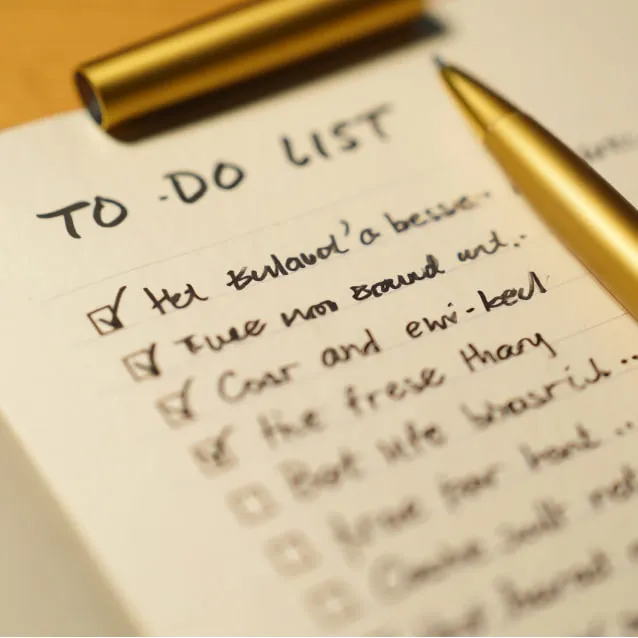
Handwritten meeting notes
Meeting notes Photo → structured tasks

I just photographed my handwritten meeting notes. Turn them into tasks and reminders.

14:10

Done. I extracted the action items, assigned deadlines, and linked the original image as reference context for later retrieval.

  • Send revised deck — today
  • Confirm partner quote — tomorrow
  • Follow up with legal — Friday
Tasks extractedReminders created
14:10
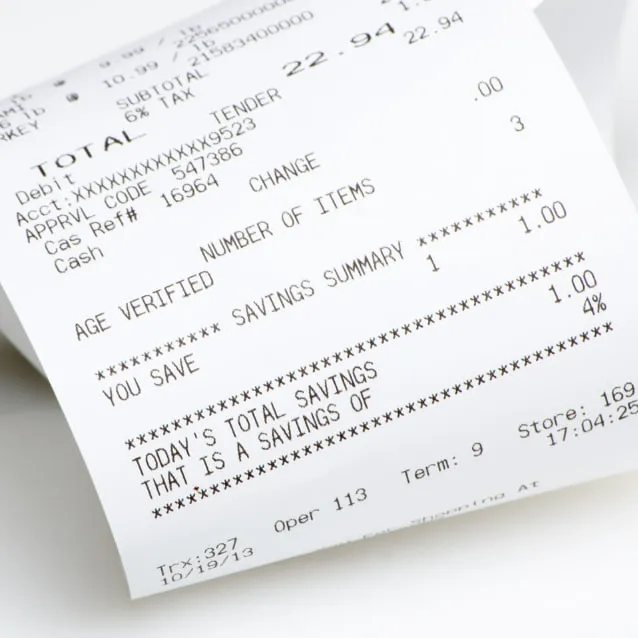
Restaurant bill
Restaurant bill Photo → monthly expenses

I also photographed this restaurant bill. Add it to the restaurant bills folder of the month and send me an email on the last weekend of the month so I can follow up on my monthly restaurant expenses.

14:12

Done. I filed it into this month’s restaurant bills folder and scheduled an end-of-month email reminder so you can review your total restaurant spend in one pass.

  • Bill saved to restaurant bills folder · this month
  • Email reminder set · last weekend of month
  • Monthly restaurant expense follow-up ready
14:12
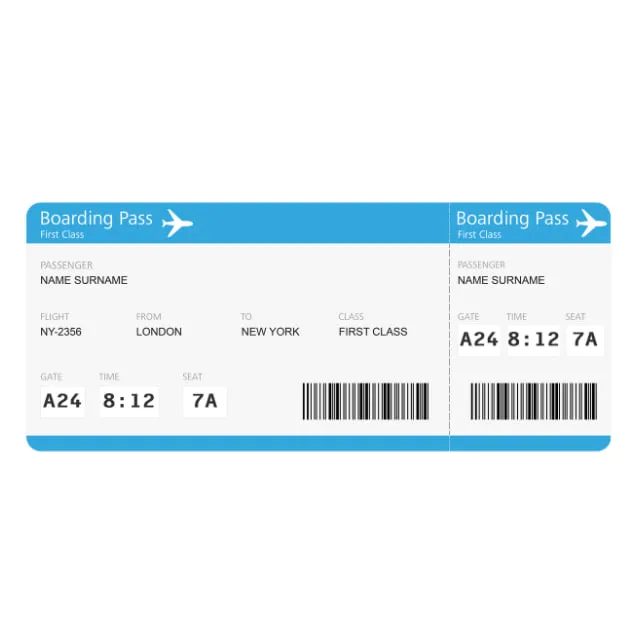
Plane ticket
Plane ticket Travel
Latest contract version PDF · Latest version

Store the plane ticket and the latest contract version so I can pull them up instantly later.

14:18

Stored and indexed by type, date, and project context. Ask for the plane ticket or latest contract later and I’ll surface the newest version first.

Travel doc indexedContract indexed
14:18

Find the latest AI automation trends in Europe and turn it into a short team briefing.

14:27

Searching live now. I pulled the newest sources and reduced them to the signals most relevant for a B2B software team.

  • Workflow consolidation is accelerating in mid-market teams
  • Ops leaders are prioritizing AI-assisted triage and follow-ups
  • Privacy-preserving deployments are becoming a procurement differentiator
6 live sourcesTeam-ready summary
14:28

Capture those opportunities as one Q3 goal with milestones, and follow up with me weekly until the first milestone ships.

14:31

Done. I grouped the ideas into one structured goal and scheduled a weekly follow-up so momentum doesn’t fade.

  • Milestone 1 — pilot AI inbox triage
  • Milestone 2 — automate contract handoff
  • Milestone 3 — launch cross-team daily briefing
Goal createdWeekly follow-up active
14:31

Share the weekend shopping Smart List with Leo and remind him to pick up the flowers.

14:44

Shared. Leo now has the same list context, the flowers reminder, and you’ll get notified when he marks it complete.

14:44

Now create a shared launch workspace for the team and assign homepage copy, QA, and investor updates.

14:50

Done. Everyone now shares the same task context, deadlines, and latest project notes, so priorities update from one source of truth.

  • Homepage copy → Sarah
  • QA sweep → Amir
  • Investor updates → You
14:50

Hey Altmind, remember that I prefer concise investor updates, morning check-ins, and no Friday afternoon meetings.

18:03

Saved. I’ll carry those preferences across future email drafts, briefings, and scheduling decisions — even months from now.

18:03

Altmind, store this production API key (prod_29XF-84A2-91KD) and the staging credentials in my secure vault.

19:11

Done — I’ll store those credentials in your Secure Manager. Here’s the link to open it. Please make sure to set an access code and save your recovery phrase so you can retrieve everything safely later.

Secure Manager Open Secure Manager ↗
19:11

When a signed contract lands in Gmail, save it to Drive, notify Slack, create an onboarding task, and update the CRM automatically.

20:05

Workflow ready. I’ll execute the whole chain autonomously with your connected tools and agent skills.

  1. Watch Gmail for signed contracts
  2. Save file to Drive
  3. Post handoff to Slack
  4. Create onboarding task
  5. Update CRM record
Test the workflow
20:05
Current moment

Daily Briefing

A smart morning summary of your priorities, deadlines, and emails that need attention — delivered proactively before you ask.

Previous feature
Next feature

From chaos to clarity

No complex set-up needed

Remembers Everything

Private by Design

Executes Tasks For You

Anticipates and Suggests

Automates Workflows

Works Across Your Tools

Follows-up

Keeps you on track

Handle real work

Altmind runs where your work already happens

Notion logo in the Altmind AI assistant integrations ecosystem Notion
Google Drive logo in the Altmind AI assistant integrations ecosystem Google Drive
Gmail logo in the Altmind AI assistant integrations ecosystem Gmail
WhatsApp logo in the Altmind AI assistant integrations ecosystem WhatsApp
Telegram logo in the Altmind AI assistant integrations ecosystem Telegram
OpenClaw logo in the Altmind AI assistant integrations ecosystem OpenClaw
Todoist logo in the Altmind AI assistant integrations ecosystem Todoist
Trello logo in the Altmind AI assistant integrations ecosystem Trello
Zapier logo in the Altmind AI assistant integrations ecosystem Zapier
Weather logo in the Altmind AI assistant integrations ecosystem Weather
Image Processing
Browser logo in the Altmind AI assistant integrations ecosystem Browser

Text it. Forget it. Altmind handles it.

Your Altmind is your brain's thinking partner that integrates with all your tools, reminds and executes for you, and helps you free your mind.

LEARN MORE
Productivity
Increase
Daily Tasks
Done
Time
Saved

Tasks

Summarize unread emails
Draft LinkedIn post
Sync Trello "Launch" board
5 tasks completed

Calendar

S
M
T
W
T
F
S
1
2
3
4
5
6
7
8
9
10
Meeting scheduled

Private by Design

Your data stays yours. Built-in encryption, privacy-first storage, and transparent controls keep every conversation protected.

End-to-end protected

Available from any chat app

Access Altmind wherever you chat—WhatsApp, Telegram, email and more—so your reminders, tasks, and updates stay in your favorite place.

WhatsApp • Telegram • Email • Altmind App
+15

App Integrations

Connect to all your favorite apps seamlessly. Create complex workflows and automate tasks from a voice command.

Learn More
Get Early Access Work flows, stress goes. Early users get in first — with a little extra magic. Enter your email Join waitlist ✓ You're on the list! We'll be in touch soon. Please complete the security check

Frequently Asked Questions

Get quick answers to common questions about Altmind

Altmind is your pocket personal assistant that lives where you already work: email, WhatsApp, and Telegram. Send it instructions, images, or voice messages as they come up. Your Altmind keeps track of reminders, to-dos, daily briefings, calendars, automatic e-mail drafts, schedules, memory vaults, shared reminders with friends, intelligent lists and more, and brings things back through reminders or daily briefings so nothing slips through.

Altmind is for people building things. Founders, solopreneurs, leaders, independents, and problem-solvers who need leverage, not yet another app or dashboard. It's your AI brain inside your chat apps — so you can think, delegate, and execute without breaking your flow.

Yes! Altmind provides full synchronization across all modern devices. Your data, schedules, reminders, and preferences are seamlessly synced between your desktop, mobile devices, and web browser.

Enterprise-grade encryption protects all your data. Altmind uses end-to-end encryption for all communications, secure cloud storage with enterprise compliance, and never shares your personal information.

Yes! We offer a 7-day free trial. Nothing is billed until your trial is over. You'll have full access to all features during your trial period. After the trial, billing starts with your choice of billing frequency (monthly or annual).

Absolutely! You can upgrade, downgrade, or cancel your subscription at any time.

Altmind uses advanced machine learning to analyze your work patterns, communication preferences, and task completion habits. It learns which reminders you respond to best, when you prefer certain tasks, how you organize information, and adapts its assistance style to match your working style.

Ready to work at 2x speed?

Get started with Altmind today and see the difference a second mind can make.

WhatsApp · Telegram · Gmail · Altmind App

Get Early Access Work flows, stress goes. Early users get in first — with a little extra magic. Enter your email Join waitlist ✓ You're on the list! We'll be in touch soon. Please complete the security check
Get started Setup your Altmind in your favorite chat app. Open in Telegram Open in WhatsApp